
The Digital SAT from A to Z: Everything You Need to Know
How long is the test, what does it ask, how is it scored and what should you prepare for test day? The basics of the Digital SAT in one guide. English and Vietnamese (Tiếng Việt).
The SAT is a standardized test that many colleges, especially in the United States, use in admissions. The test is now taken on a computer. This version is called the Digital SAT. It has been in use outside the US since 2023, and in the US since 2024. Paper tests now exist only in special cases.
This guide covers what you should know before you start studying. Rules, dates and fees can change, so always check the College Board SAT site before you register.
What the test looks like
The test has two sections: Reading & Writing and Math. Each section has two modules.
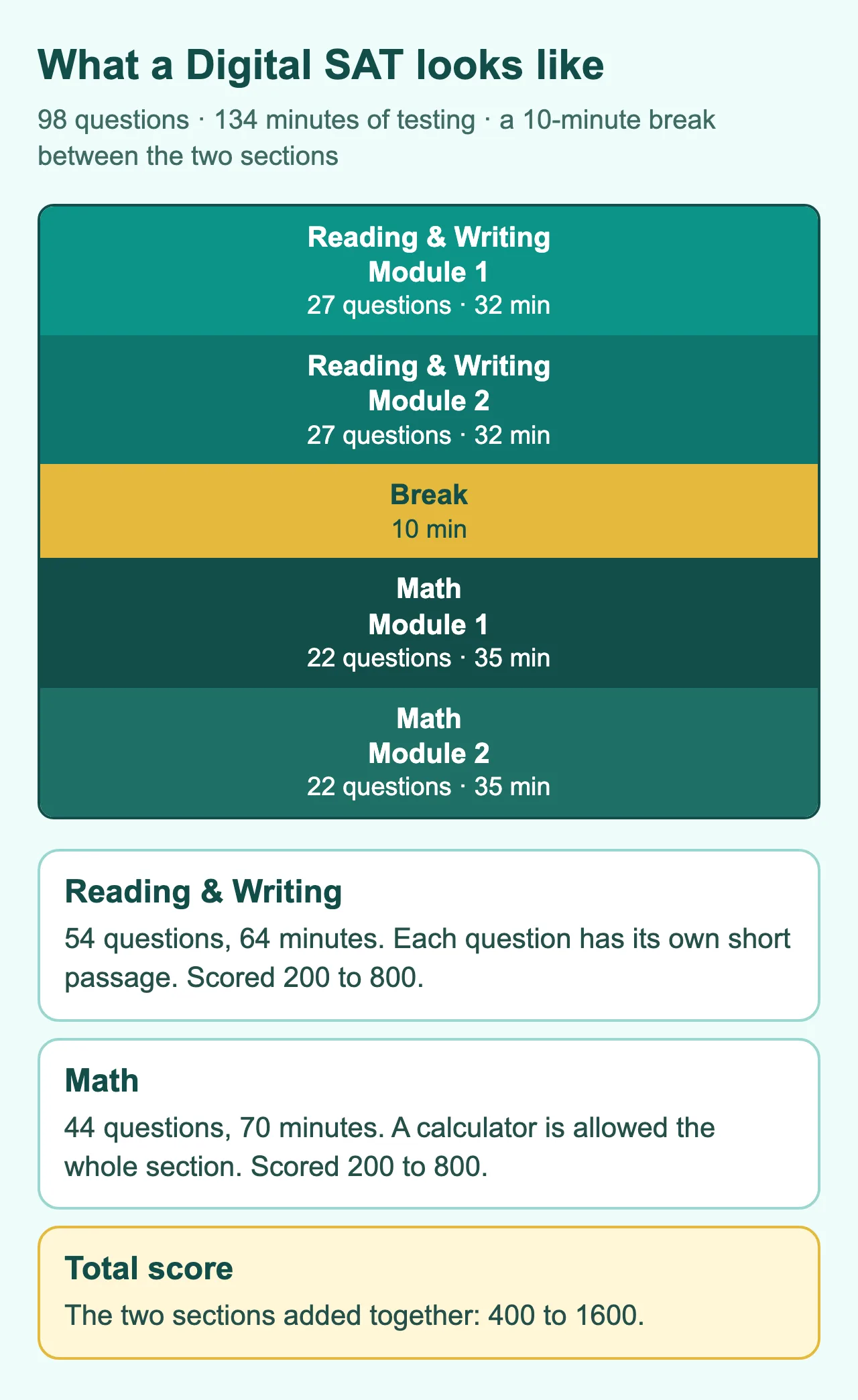
| Reading & Writing | Math | |
|---|---|---|
| Modules | 2 | 2 |
| Questions per module | 27 | 22 |
| Time per module | 32 minutes | 35 minutes |
| Total | 54 questions, 64 minutes | 44 questions, 70 minutes |
| Score | 200 to 800 | 200 to 800 |
Your total score is the sum of the two sections, from 400 to 1600. There is a 10-minute break between the sections.
Reading & Writing: what does it ask?
Unlike the older paper test, each question has its own short passage, usually a few sentences to a short paragraph. You read it, answer one question, then move on. The passages come from areas such as literature, history, science and social studies.
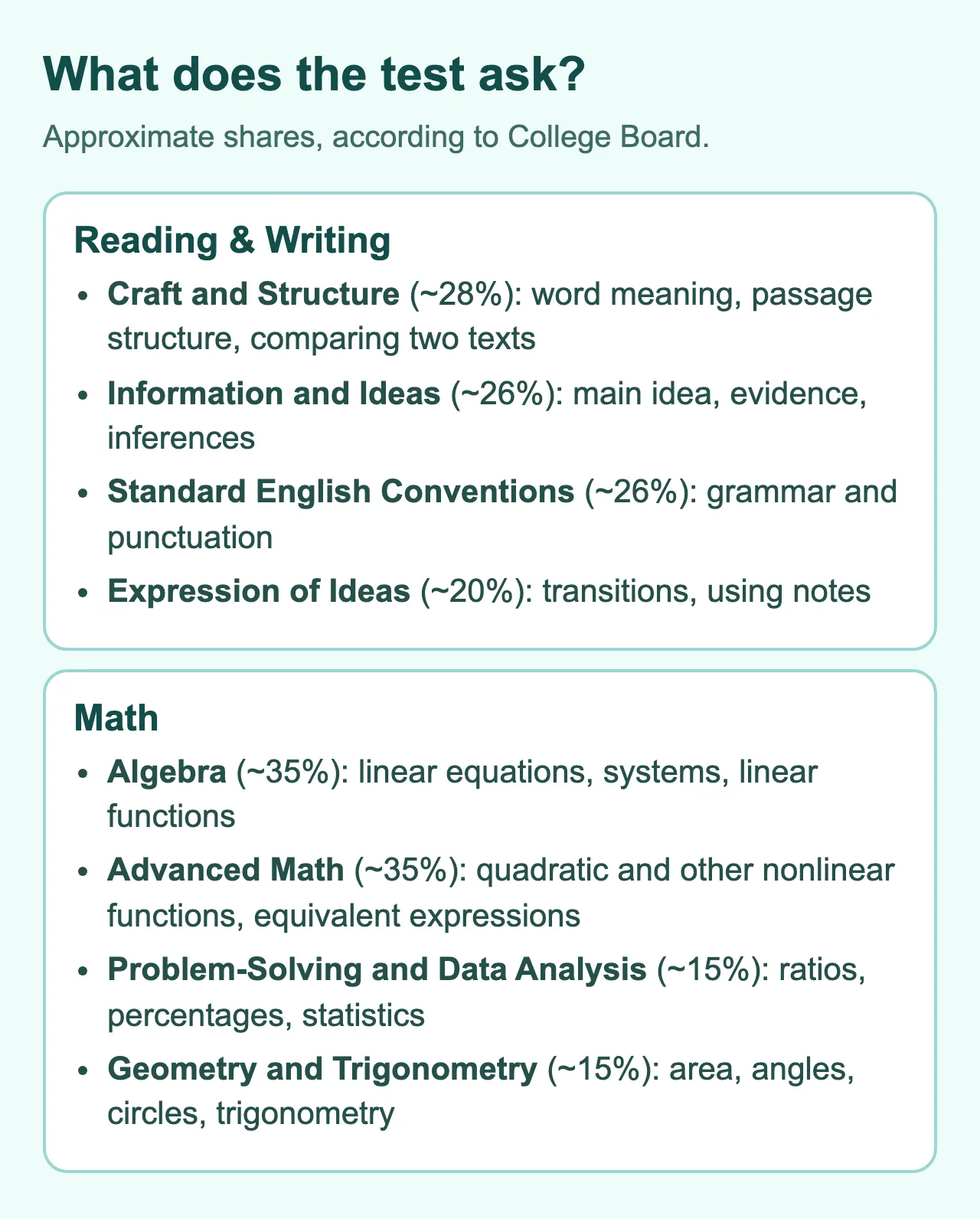
The questions fall into four groups:
- Craft and Structure: the meaning of words in context, the purpose and structure of a passage, and comparing two short texts.
- Information and Ideas: finding the main idea, finding evidence and drawing reasonable inferences.
- Standard English Conventions: punctuation, sentence structure, verb forms and other grammar rules.
- Expression of Ideas: choosing the right transition and using given notes to write a sentence that meets a goal.
Math: what does it ask?
The Math section has four content areas:
- Algebra: linear equations and inequalities, systems of equations, linear functions.
- Advanced Math: quadratic and other nonlinear functions, equivalent expressions.
- Problem-Solving and Data Analysis: ratios, percentages, units, statistics and probability.
- Geometry and Trigonometry: area, volume, angles, triangles, circles and basic trigonometry.
Most questions are four-choice multiple choice. About a quarter are student-produced responses, where you type a number into a box with no choices to pick from.
The adaptive test
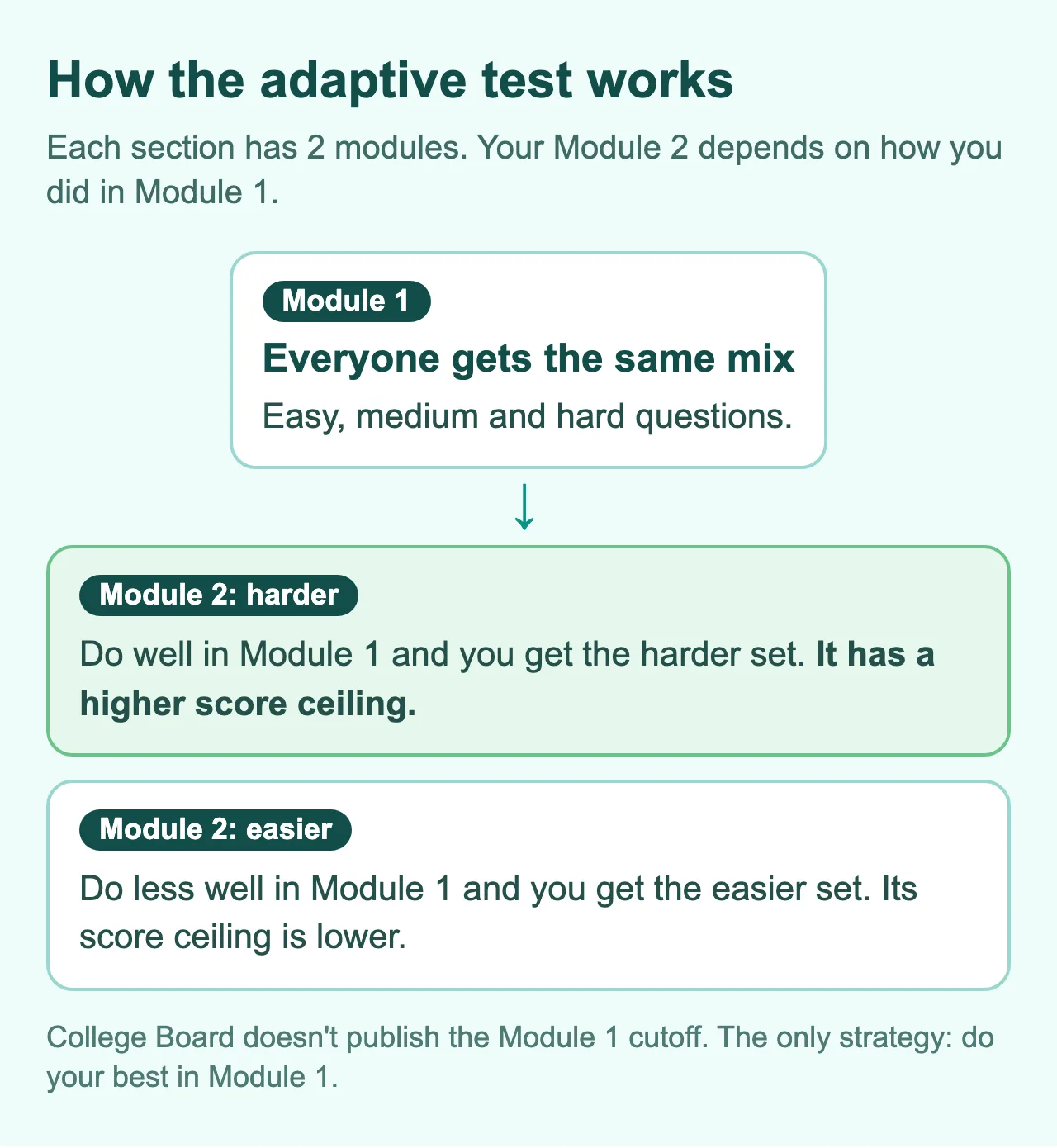
The Digital SAT is adaptive by module. Here is how it works:
- Module 1 of each section is a common set with easy, medium and hard questions.
- Based on how you did in Module 1, the computer picks your Module 2: a harder set or an easier set.
- The harder set has a higher score ceiling.
Two things to remember:
- College Board doesn't publish the Module 1 level needed to get the harder set. Any number you see online is only a guess.
- You can't game the system. The only approach is to do your best in Module 1. Doing worse on purpose to get an easier set only lowers your ceiling.
How scoring works
Your score is not simply the number of correct answers divided by the number of questions. It comes from a statistical model that looks at which questions you got right and which Module 2 you were given. That's why two students with 40 correct answers can get different scores.
A few things to know:
- There is no penalty for wrong answers. Never leave a question blank. If you're unsure, choose your best guess.
- Some questions don't count toward your score. They are tryout questions for future tests. You can't tell which they are, so take every question seriously.
- The exact conversion from correct answers to score is not published. Anyone selling an "exact" table is only estimating.
Tools built into the test
The test runs in the Bluebook app. Inside it you get:
- A countdown timer. You can hide it if it stresses you, except in the last 5 minutes of a module, when it always shows.
- Mark for Review (flagging) so you can come back to a question, and an overview of all questions.
- Highlights & Notes and an answer eliminator to cross out choices.
- A Desmos calculator built in, usable for the whole Math section.
- A math reference sheet you can open when you need it.
You can move around within a module, but once you submit a module, you can't go back to it.
You may also bring an approved handheld calculator. Many students find Desmos handier, especially for graph questions, so practice with it before test day.
Registering and test day
- Create a College Board account and register on the official site.
- Choose a test date and a test center. There is a regular deadline and a late deadline, which may cost an extra fee.
- Install Bluebook on your device and take a practice test to make sure everything works.
For international test days, check the ID requirements (usually a passport), the test center's rules and the device rules. Fees, locations and registration details change over time, so look at the official dates and deadlines directly.
Getting ready for test day
- Install and update Bluebook ahead of time, and charge your device fully.
- Prepare your ID and admission ticket following the official instructions.
- Get a good night's sleep.
- Bring a snack for the break.
- Arrive early so you aren't rushed.
What's a good score?
There's no single answer. A "good" score depends on the schools you want to apply to. Look up the score range of admitted students at each school, then set your goal from there. For more, read How to Start Studying for the SAT.
Start practicing
The fastest way to understand the test is to try it. You can take a free practice test on Quaero or the official practice tests in Bluebook. Then look at the free lessons for the skills you find hard.
Digital SAT từ A đến Z: tất cả những điều bạn cần biết
Bài thi dài bao lâu, hỏi những gì, chấm điểm ra sao và cần chuẩn bị gì cho ngày thi? Mọi thứ cơ bản về Digital SAT trong một bài.
SAT là bài thi chuẩn hóa mà nhiều trường đại học, đặc biệt ở Mỹ, dùng để xét tuyển. Bài thi đã chuyển sang làm trên máy tính: từ năm 2023 ở ngoài nước Mỹ (bao gồm Việt Nam) và từ năm 2024 ở Mỹ. Bài thi giấy hiện chỉ còn dành cho một số trường hợp đặc biệt. Phiên bản này gọi là Digital SAT.
Bài này tóm tắt những điều bạn cần biết trước khi bắt đầu học. Quy định, ngày thi và lệ phí có thể thay đổi, nên hãy luôn xem lại trang SAT của College Board trước khi đăng ký.
Bài thi trông như thế nào
Bài thi có hai phần: Reading & Writing và Math. Mỗi phần có hai module.
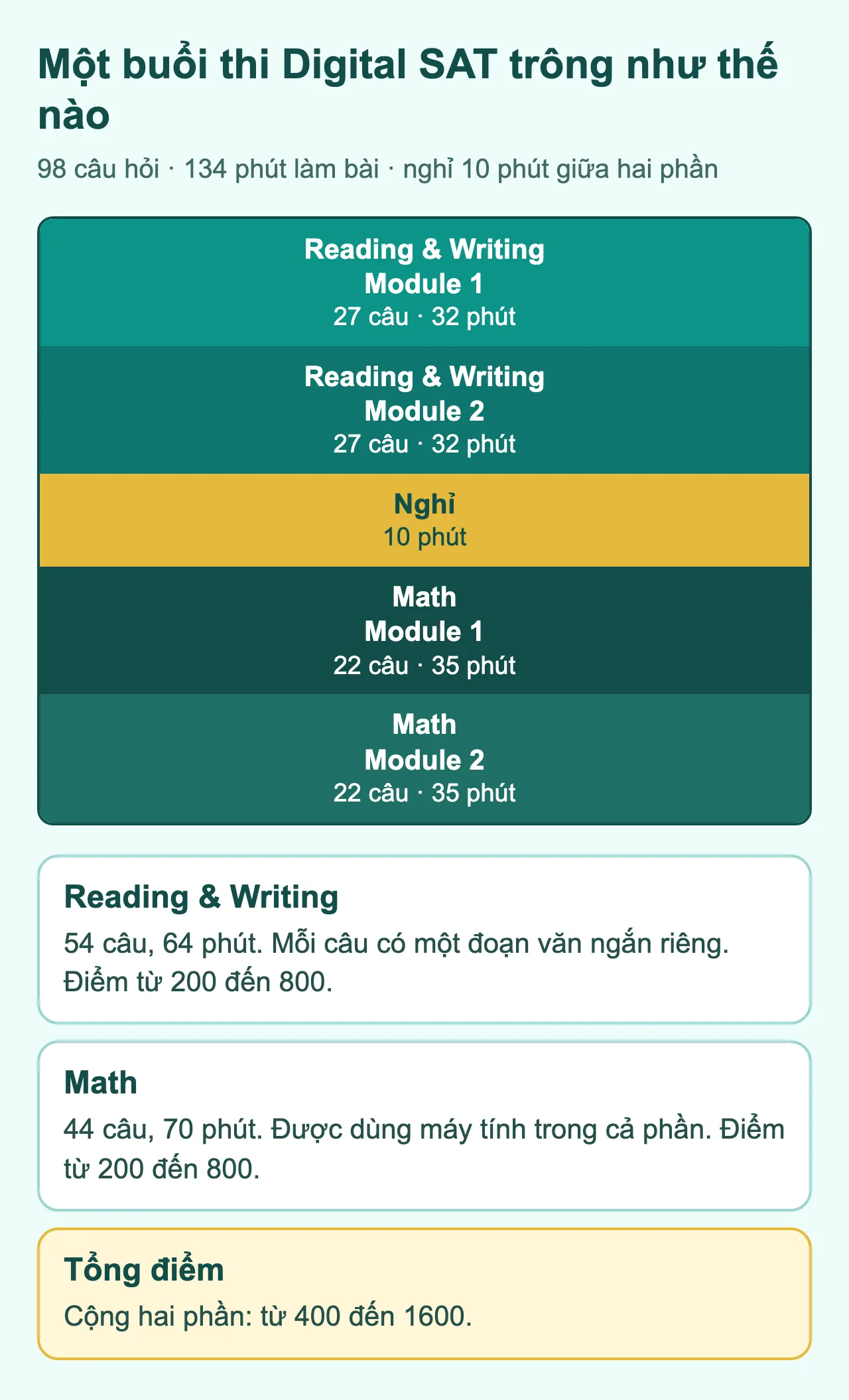
| Reading & Writing | Math | |
|---|---|---|
| Số module | 2 | 2 |
| Câu mỗi module | 27 | 22 |
| Thời gian mỗi module | 32 phút | 35 phút |
| Tổng | 54 câu, 64 phút | 44 câu, 70 phút |
| Điểm | 200 đến 800 | 200 đến 800 |
Điểm tổng là tổng của hai phần, từ 400 đến 1600. Giữa hai phần có 10 phút nghỉ.
Reading & Writing: hỏi gì?
Khác với bài thi giấy cũ, mỗi câu hỏi có một đoạn văn ngắn riêng, thường chỉ vài câu đến một đoạn ngắn. Bạn đọc xong thì trả lời một câu hỏi, rồi sang câu tiếp theo. Các đoạn văn lấy từ nhiều lĩnh vực như văn học, lịch sử, khoa học và xã hội.
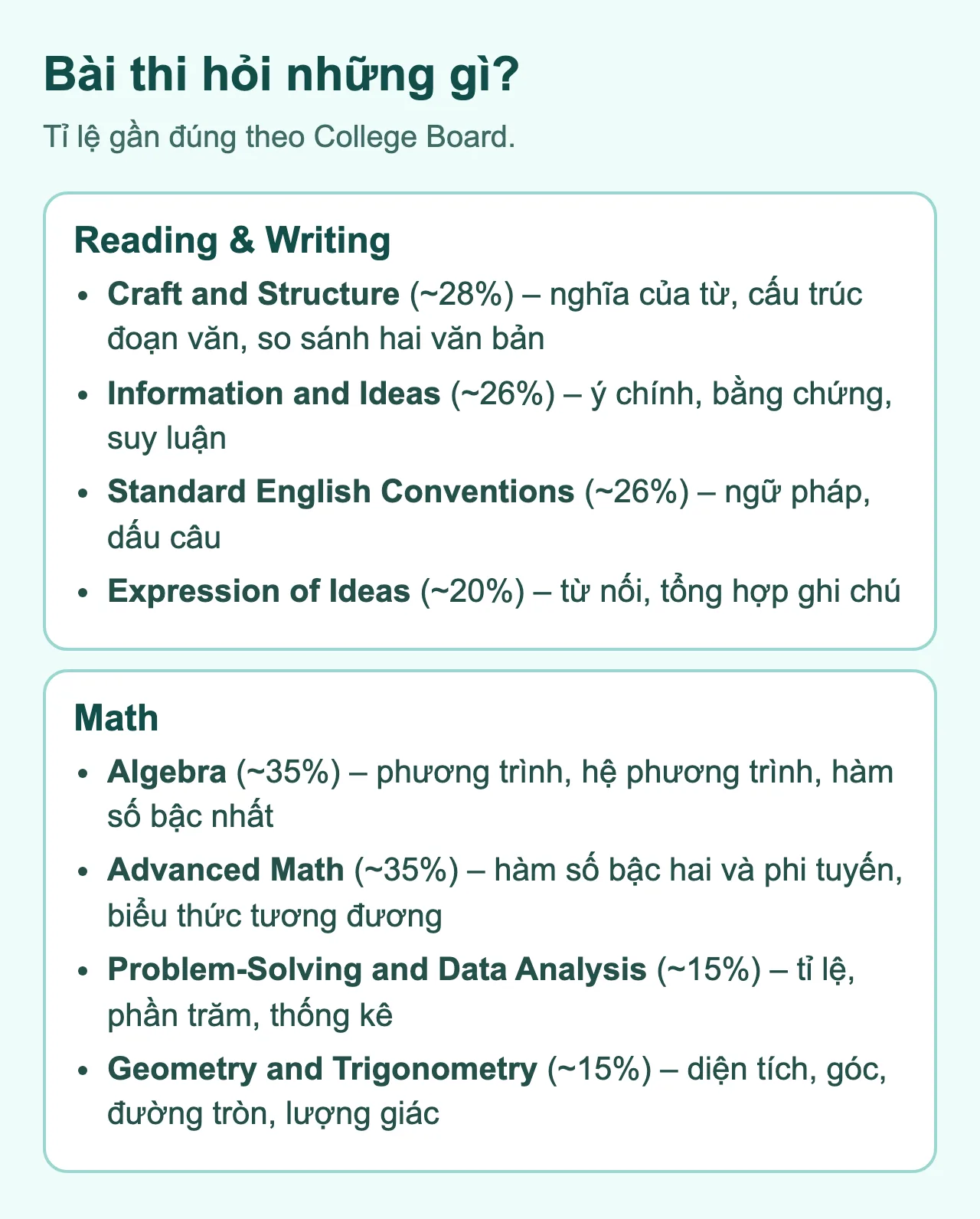
Các câu hỏi chia thành bốn nhóm:
- Craft and Structure: nghĩa của từ trong ngữ cảnh, mục đích và cấu trúc của đoạn văn, và so sánh hai văn bản ngắn.
- Information and Ideas: tìm ý chính, tìm bằng chứng, rút ra suy luận hợp lý từ đoạn văn.
- Standard English Conventions: dấu câu, cấu trúc câu, chia động từ và các quy tắc ngữ pháp khác.
- Expression of Ideas: chọn từ nối phù hợp, và dùng các ghi chú cho sẵn để viết một câu đạt mục tiêu.
Math: hỏi gì?
Phần Math có bốn nhóm nội dung:
- Algebra: phương trình và bất phương trình bậc nhất, hệ phương trình, hàm số bậc nhất.
- Advanced Math: hàm số bậc hai và các hàm phi tuyến, biểu thức tương đương.
- Problem-Solving and Data Analysis: tỉ lệ, phần trăm, đơn vị, thống kê và xác suất.
- Geometry and Trigonometry: diện tích, thể tích, góc, tam giác, đường tròn và lượng giác cơ bản.
Phần lớn câu hỏi là trắc nghiệm bốn đáp án. Khoảng một phần tư là câu tự điền đáp án (student-produced response), bạn gõ số vào ô trống mà không có lựa chọn cho sẵn.
Bài thi thích ứng (adaptive)
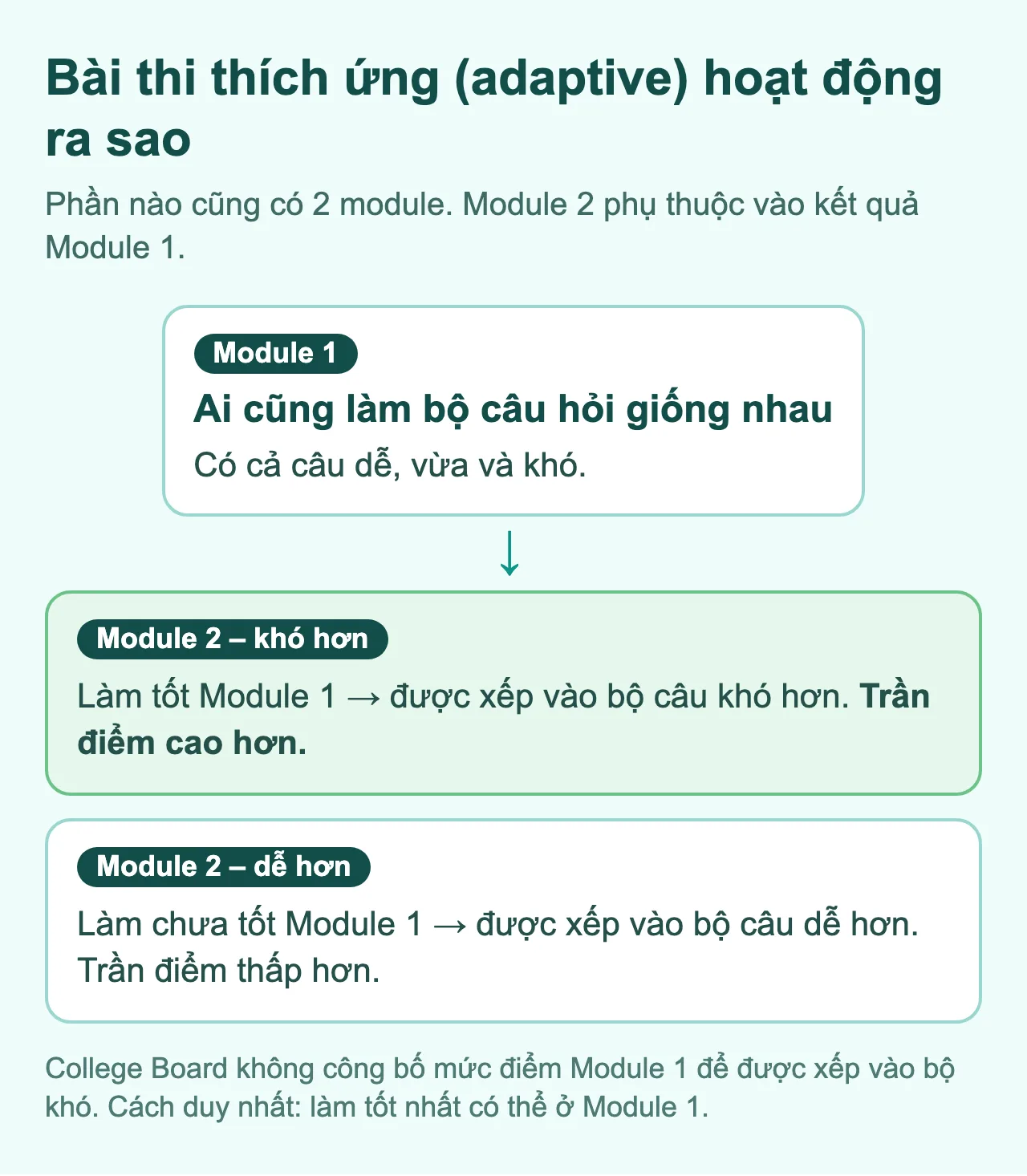
Digital SAT là bài thi thích ứng theo module. Cách hoạt động như sau:
- Module 1 của mỗi phần là bộ câu hỏi chung, gồm câu dễ, vừa và khó.
- Dựa trên kết quả Module 1, máy tính chọn Module 2 cho bạn: một bộ khó hơn hoặc một bộ dễ hơn.
- Bộ khó hơn có trần điểm cao hơn.
Hai điều đáng nhớ:
- College Board không công bố mức nào ở Module 1 thì được xếp vào bộ khó. Bất cứ con số nào bạn thấy trên mạng cũng chỉ là ước đoán.
- Bạn không thể "chơi" hệ thống. Cách duy nhất là làm tốt nhất có thể ở Module 1. Cố tình làm kém để được bộ dễ chỉ làm trần điểm của bạn thấp đi.
Cách chấm điểm
Điểm của bạn không đơn giản là số câu đúng chia số câu hỏi. Điểm được tính bằng một mô hình thống kê, có xét đến việc bạn làm đúng những câu nào và bạn được xếp vào Module 2 nào. Vì vậy hai bạn cùng đúng 40 câu vẫn có thể có điểm khác nhau.
Một vài điều cần biết:
- Không bị trừ điểm khi sai. Đừng bỏ trống câu nào. Nếu không chắc, hãy chọn đáp án có khả năng đúng nhất.
- Có một số câu không tính điểm. Đó là câu thử nghiệm cho các bài thi sau. Bạn không phân biệt được chúng, nên hãy làm hết mọi câu nghiêm túc.
- Bảng quy đổi chính xác từ số câu đúng sang điểm không được công bố. Ai bán bảng quy đổi "chính xác" thì thật ra chỉ đang ước tính.
Những công cụ có sẵn trong bài thi
Bài thi chạy trong ứng dụng Bluebook. Trong ứng dụng có:
- Đồng hồ đếm ngược. Bạn có thể ẩn đồng hồ nếu thấy nó gây áp lực, trừ 5 phút cuối của module (lúc đó đồng hồ luôn hiện).
- Mark for Review (đánh dấu câu hỏi) để quay lại sau, và bảng tổng quan các câu hỏi.
- Ghi chú và gạch bỏ đáp án để loại trừ lựa chọn.
- Máy tính Desmos tích hợp sẵn, dùng được trong cả phần Math.
- Bảng công thức toán để tra khi cần.
Bạn có thể quay lại các câu trong cùng một module, nhưng sau khi nộp module, bạn không quay lại được.
Bạn cũng có thể mang máy tính cầm tay theo quy định của College Board, nhưng nhiều bạn thấy Desmos tiện hơn, nhất là với câu có đồ thị, nên hãy tập dùng nó trước ngày thi.
Đăng ký và ngày thi
- Tạo tài khoản College Board và đăng ký thi trên trang chính thức.
- Chọn ngày thi và địa điểm. Có hạn đăng ký thường và hạn đăng ký muộn, có thể kèm phụ phí.
- Cài ứng dụng Bluebook trên thiết bị của bạn và làm thử bài thi thử để chắc mọi thứ chạy tốt.
Với kỳ thi quốc tế, hãy kiểm tra yêu cầu về giấy tờ tùy thân (thường là hộ chiếu), quy định của trung tâm thi và thiết bị. Thông tin về lệ phí, địa điểm thi, giấy tờ tùy thân bắt buộc và cách đăng ký ở nước ngoài (bao gồm Việt Nam) thay đổi theo từng thời điểm. Hãy xem trực tiếp trên lịch thi và hạn đăng ký chính thức.
Chuẩn bị cho ngày thi
- Cài và cập nhật Bluebook trước, cắm sạc và sạc đầy pin.
- Chuẩn bị giấy tờ tùy thân và vé dự thi theo hướng dẫn chính thức.
- Ngủ đủ đêm trước ngày thi.
- Ăn nhẹ và mang đồ ăn vặt cho giờ nghỉ.
- Đến sớm để không phải vội.
Điểm bao nhiêu là tốt?
Không có con số chung. Điểm "tốt" phụ thuộc vào trường bạn muốn nộp. Hãy xem khoảng điểm của sinh viên được nhận ở từng trường, rồi đặt mục tiêu từ đó. Đọc thêm trong bài Bắt đầu học SAT như thế nào?.
Bắt đầu luyện tập
Cách hiểu bài thi nhanh nhất là làm thử. Bạn có thể làm bài thi thử miễn phí trên Quaero hoặc các bài thi thử chính thức trong Bluebook. Sau đó, xem các bài học miễn phí cho những kỹ năng bạn còn yếu.